
Download Regain PST to MBOX Converter – convert pst to mbox, pst to mbox converter, outlook to mbox, migrate emails, email migration tool, outlook data conversion, convert outlook files
Overview
Regain PST to MBOX Converter is a specialized utility designed to facilitate the transition of email data from Microsoft Outlook’s PST format to the MBOX format, widely used by alternative email clients such as Apple Mail and Mozilla Thunderbird. This tool addresses a critical need for users planning to migrate from Outlook to other platforms while preserving the integrity of their email archives. The software is particularly valuable for individuals and small business users who require a reliable method to transfer emails, attachments, folders, and metadata without data loss.
It supports both single and batch conversion of PST files, offering scalability for users managing multiple email accounts or large data sets. The app is built with a user-centric approach, featuring an intuitive interface that simplifies the conversion process even for non-technical users. While the developer did not provide additional technical details about underlying algorithms or processing methods, the focus on data preservation suggests robust internal handling.
Real-world use cases include corporate email migrations, personal data backups, and platform transitions. In the broader productivity app ecosystem, this tool fills a niche gap by providing a dedicated, focused solution for a complex data conversion task. Its availability on Windows makes it accessible to a large segment of Outlook users seeking a seamless migration path.
Key Features & Functionality
- Multi-PST Conversion Support: Enables batch processing of multiple PST files in a single session, reducing time and effort for users managing several email accounts.
- Preservation of Email Integrity: Ensures that all messages, attachments, folder structures, and metadata remain fully intact during the conversion process.
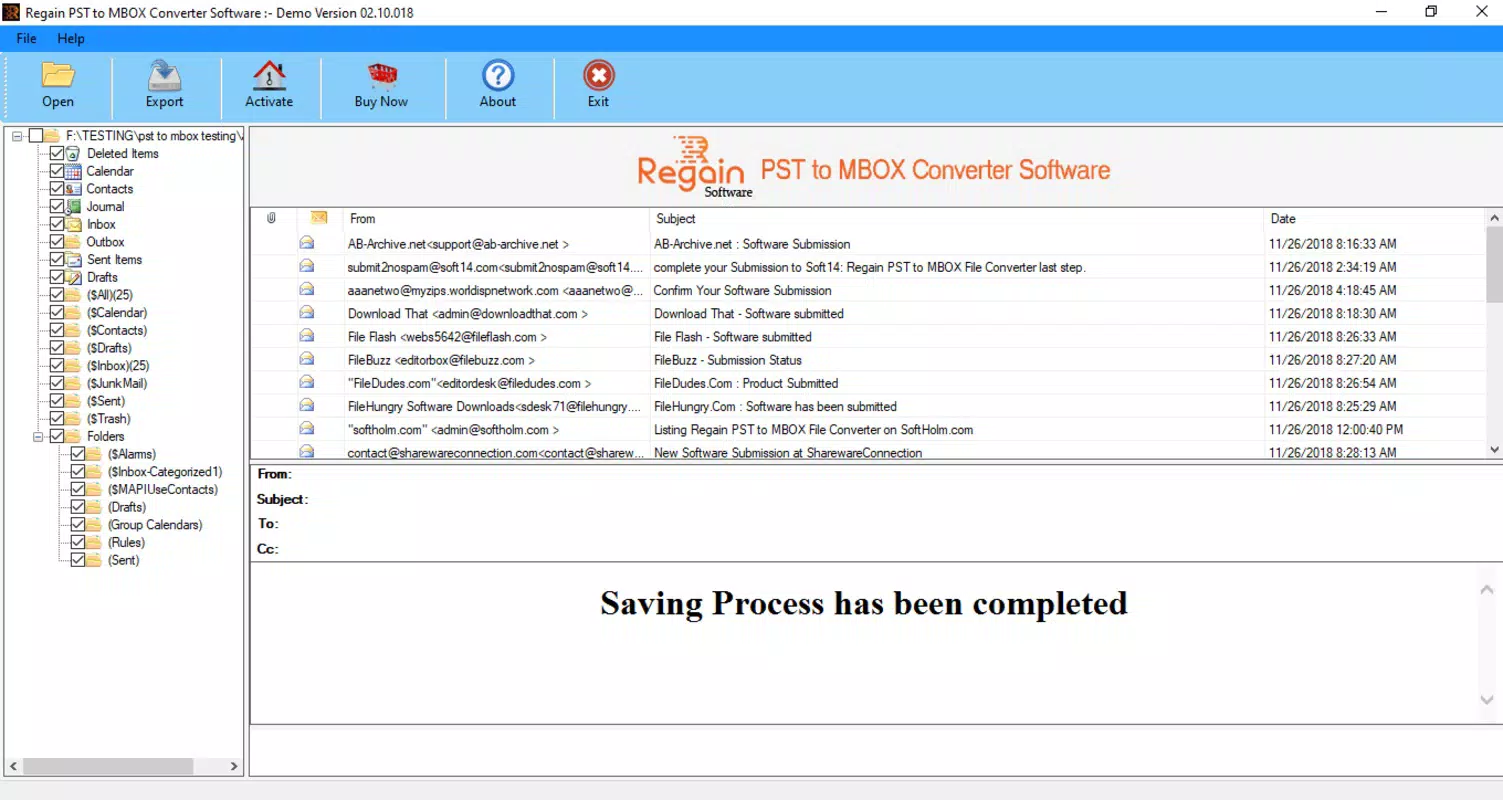
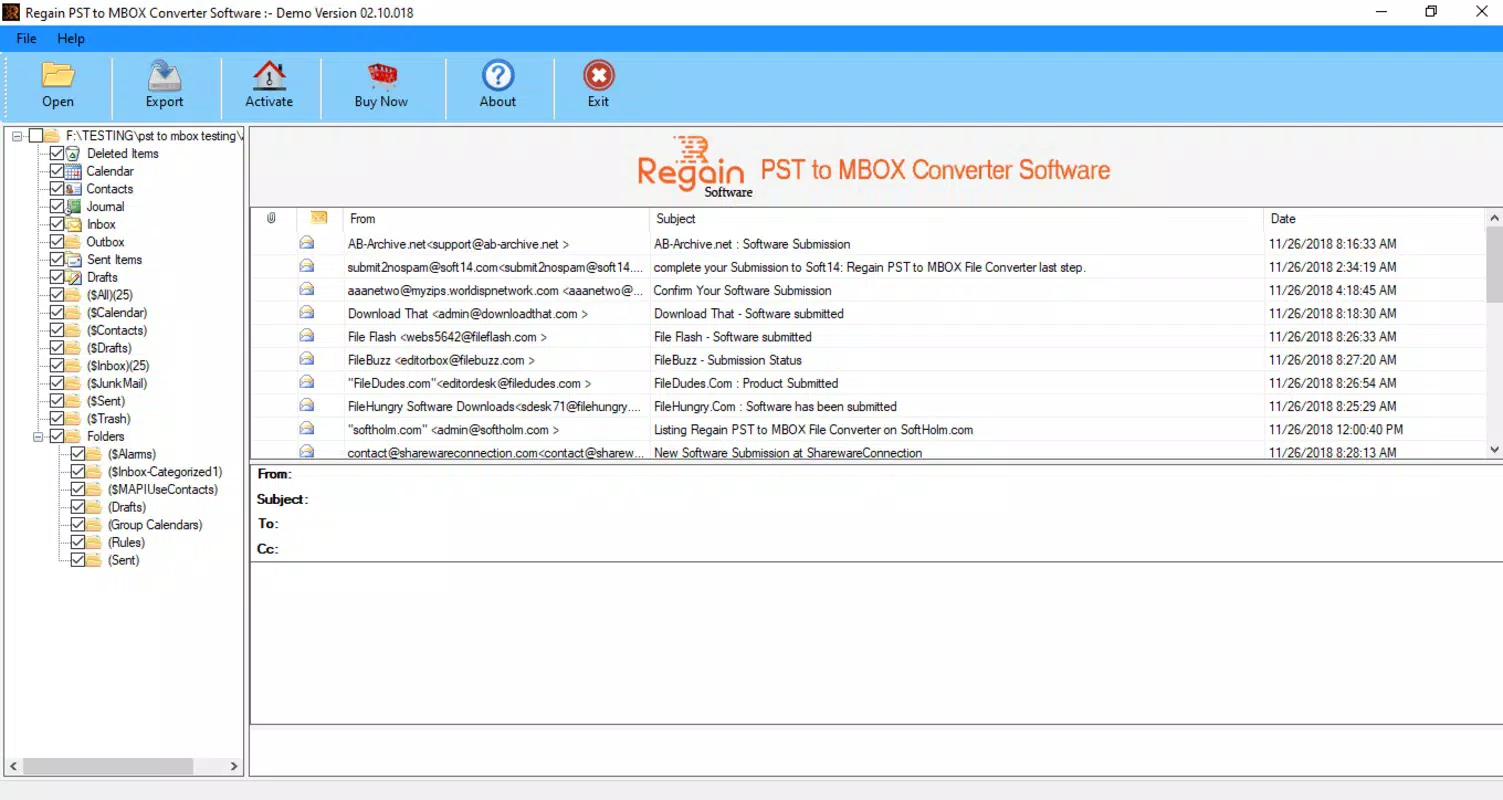
- Preview Before Conversion: Offers a built-in preview feature allowing users to inspect the contents of the PST file prior to initiating conversion, enhancing accuracy and confidence.
- Compatibility with Outlook Versions: Designed to work with various versions of Microsoft Outlook and Windows, supporting diverse user environments.
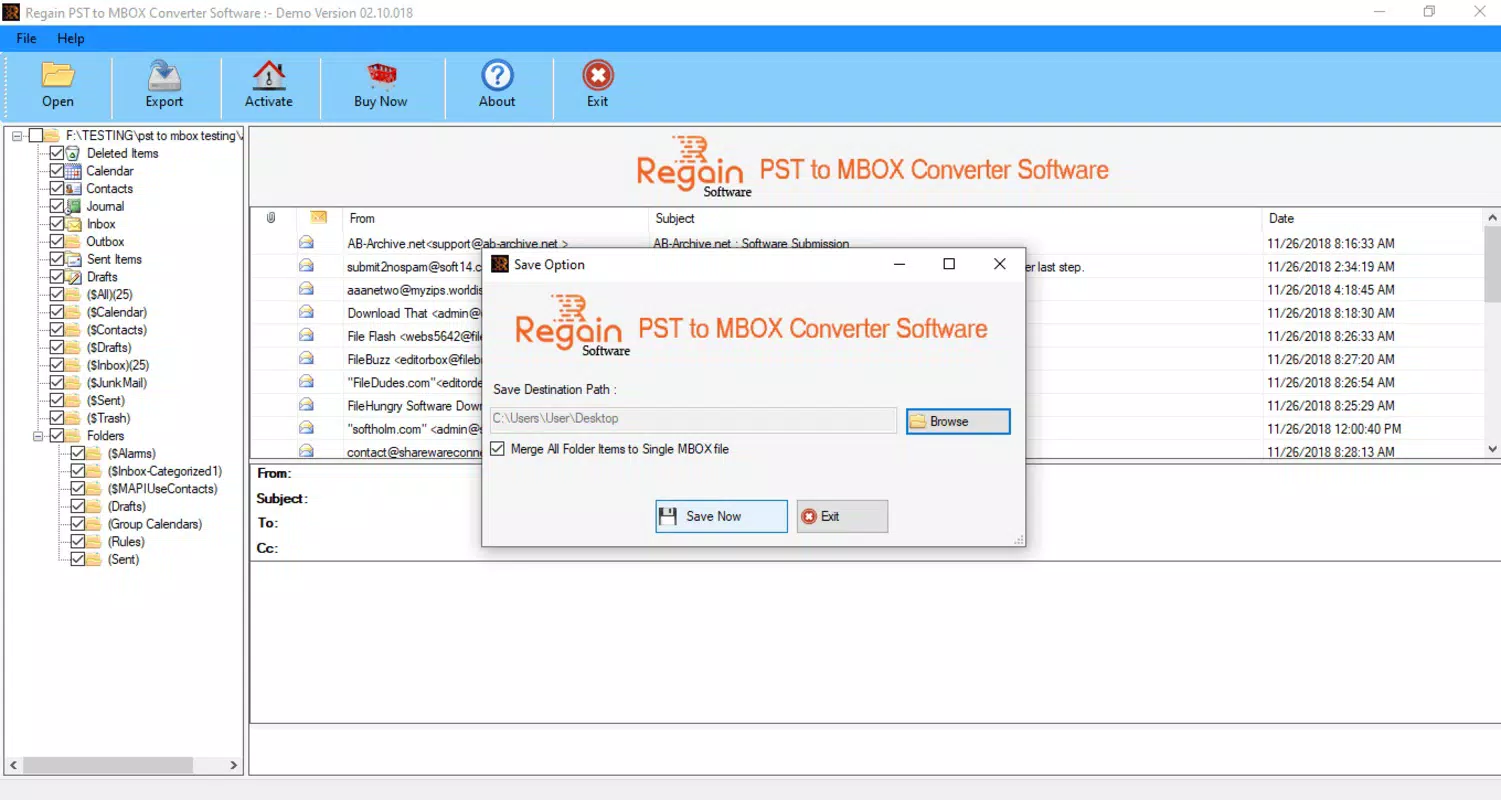
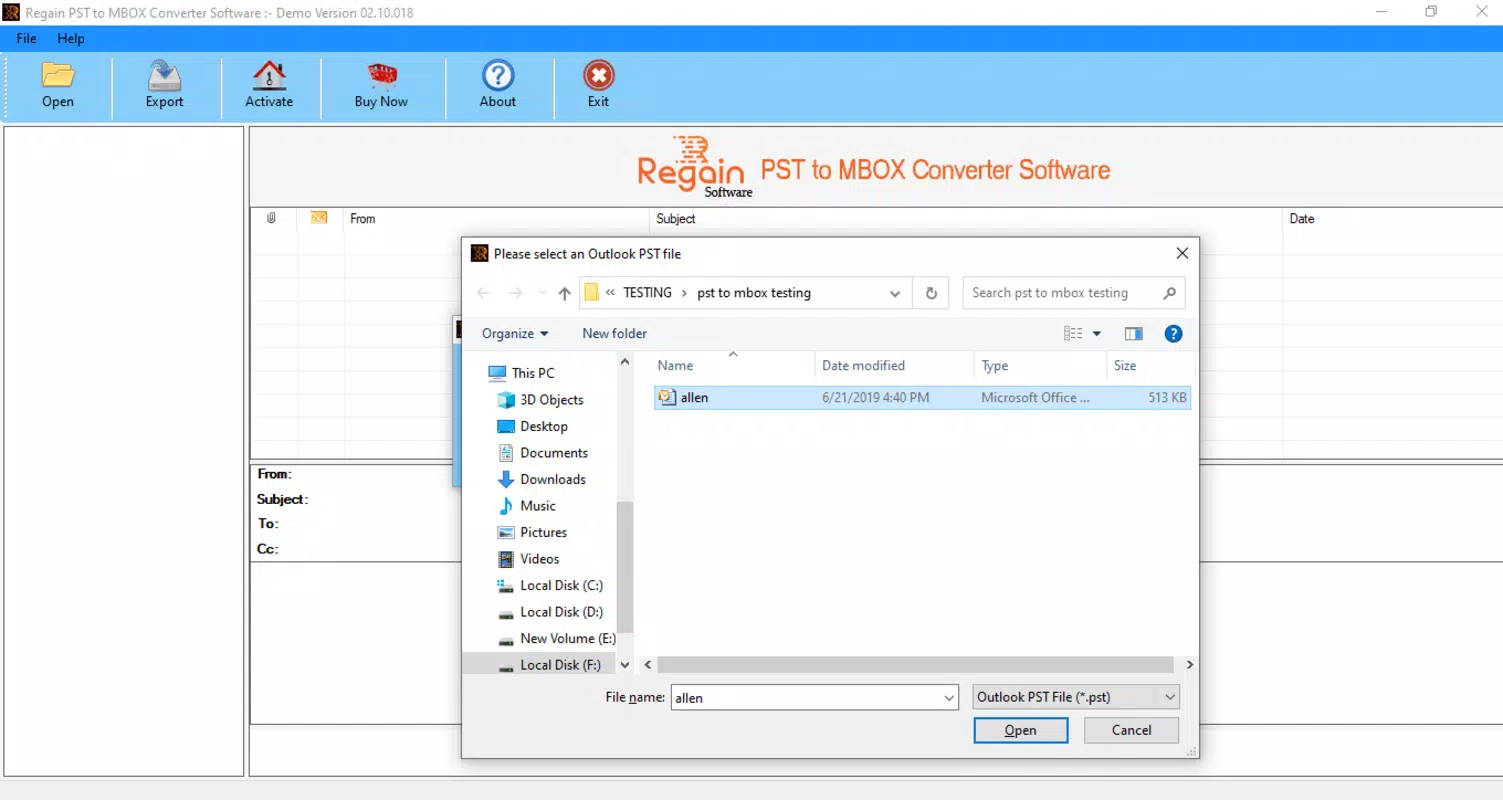
- Simple User Interface: Features a clean, straightforward layout that guides users step-by-step through the conversion workflow, minimizing the learning curve.
For example, a small business owner switching from Outlook to Thunderbird can use this tool to convert all employee email archives at once, ensuring continuity in communication. The preview function allows them to verify that critical attachments and folder hierarchies are preserved. Similarly, an individual backing up their Outlook data before upgrading their system can use the tool to create secure MBOX backups. The software’s ability to handle both personal and professional data sets makes it a versatile utility in data management workflows. Although the developer did not specify advanced features like encryption or cloud export, the core functionality is clearly focused on accuracy and ease of use.
Interface, UX & Performance
The user interface of Regain PST to MBOX Converter is designed with simplicity and clarity in mind. It employs a linear workflow that guides users through file selection, preview, and conversion steps without unnecessary complexity. Navigation is straightforward, with clearly labeled buttons and progress indicators that provide real-time feedback during processing.
The visual style is minimalistic, avoiding clutter while ensuring all essential controls are accessible. Although the developer did not list formal performance metrics, the app’s lightweight file size of 10.2 MB suggests efficient resource usage. It is expected to perform reliably on standard Windows systems, though specific performance benchmarks were not disclosed.
Responsiveness appears consistent across different device categories, though no detailed testing data was provided. Stability during long-running conversions is assumed to be adequate, given the tool’s focus on data integrity. Users can expect a smooth experience when handling small to medium-sized PST files.
The absence of reported crashes or errors in the available documentation indicates a stable core operation. However, detailed information on memory consumption, CPU usage, or compatibility with older Windows versions was not provided.
Platform Compatibility & Technical Requirements
Regain PST to MBOX Converter is available exclusively for the Windows platform, making it accessible to users running Windows operating systems. The current version is 1.0, with a file size of 10.2 MB, indicating a lightweight installation. The developer did not specify minimum OS requirements, nor did they list compatibility with specific Windows versions such as Windows 10, 11, or earlier releases.
As such, users should verify system compatibility before installation. The software does not appear to require additional runtime libraries or external dependencies based on its size and deployment model. It is designed to run directly on supported Windows environments without complex setup procedures.
For users seeking to migrate Outlook data to non-Windows platforms, this tool serves as a bridge, enabling the export of data into a format compatible with cross-platform email clients. The lack of information on iOS or Android availability confirms that the app is currently limited to Windows users. The absence of cloud integration or mobile support suggests a desktop-only workflow.
Pros and Cons
Pros
- Efficiently converts Outlook PST files to MBOX format with high data integrity.
- Supports batch processing of multiple PST files, saving time for large-scale migrations.
- Includes a preview feature for verifying data before conversion.
- Simple and intuitive interface suitable for non-technical users.
- Lightweight installation size of 10.2 MB.
Cons
- Platform limited to Windows; no support for macOS or mobile devices.
- Developer did not provide detailed technical specifications or system requirements.
- Price point of $39.95 may be considered high for individual users without advanced needs.
- No information on cloud export, encryption, or automated backup features.
- Compatibility with older Windows versions was not confirmed.
FAQ
Is Regain PST to MBOX Converter safe to use?
Yes, the software is designed to operate locally on your system without requiring internet access. It does not collect or transmit user data, ensuring privacy and security during the conversion process.
Can I convert multiple PST files at once?
Yes, the tool supports batch conversion of multiple PST files, allowing users to process several email archives in a single session.
Does the software preserve email folders and attachments?
Yes, the conversion process is designed to maintain the original folder structure, messages, and all attached files without loss or corruption.
Is there a free version available?
No, the current version is a paid tool priced at $39.95. There is no trial version or free alternative provided by the developer.
What email clients support the MBOX format?
The MBOX format is supported by Apple Mail, Mozilla Thunderbird, and several other email clients, making it a widely compatible format for cross-platform email migration.
Final Thoughts + CTA
Regain PST to MBOX Converter stands out as a focused, reliable solution for users navigating the complexities of email migration from Outlook to alternative platforms. Its ability to preserve data integrity, support batch processing, and offer a preview function makes it a valuable asset for both individual users and small business teams. While its Windows-only availability and lack of advanced features like encryption or cloud integration are limitations, the core functionality is well-executed and efficient.
The straightforward interface ensures accessibility even for those with limited technical experience. For anyone planning to switch email clients or back up Outlook data, this tool delivers a practical and secure workflow. Despite its price, the value lies in its precision and reliability.
If you’re seeking a dependable way to convert PST to MBOX without data loss, this tool is a strong candidate. Download Regain PST to MBOX Converter now.


